
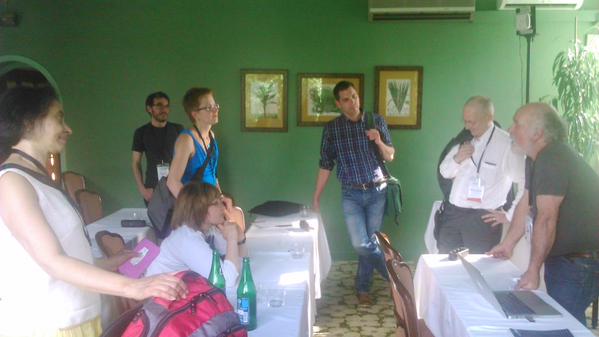
In keeping with the tradition of recent years, the memoQ fest user conference held least May opened with a Pre-Conference Day on which two master classes were offered: “memoQ for Project Managers” and “memoQ for Translators.” This time I joined the translators’ master class – an interesting mix of around 25 industry peers ranging from freelance translators/small business owners to translation agency support staff, tool trainers and even a non-translating technical writer. All of us had different reasons for being there, but we all had one thing in common: We want to streamline our workflows by making better use of memoQ’s many complex productivity features.
Tool tech guru Kevin Lossner has a real knack for coming up with outside-the-box solutions to those tricky issues that can crop up when working in a translation environment tool (aka CAT tool or TEnT). This was the first year in which the workshop was held by someone outside the Kilgray team, and the resulting presentation showcased some highly creative ways to solve the variety of issues brought up by the users in the room from the perspective of a translator in the field.
After the initial introductions, Kevin dove right in with a topic applicable to everyone which he believes should be a mandatory first step in every single translation process: roundtripping.
Master Class Topic 1: Roundtripping files using pseudotranslation* to check for project viability
What is roundtripping? Well, have you ever worked on a project for days or weeks, happily finalizing it as the deadline approaches only to find that your documents will not export – i.e. you can’t produce the target files – and you have no idea why? Or, have you ever quoted a project based on the number of words as counted by Microsoft Word, memoQ, or another tool, and then discovered when actually translating the material that your document contains blocks of uneditable, unextractable text that you did not include in your binding quote but which your client nonetheless expects to have translated? Then roundtripping is your new friend.
Here’s what you do: Before starting or even quoting on a project, take the source texts, import them into memoQ, and use memoQ’s “pseudotranslate” feature to populate the target segments. Then export the documents. If a document fails to export, you know immediately that you’ve got a problem and can take steps to repair or replace the source document. If your documents do export, the resulting target files will be formatted just like the originals, but will contain pseudotranslation “gobbledygook” rather than the source language.
This has two advantages:
First, you can be sure that the files will export after you translate them (or if they don’t, the culprit will be problems occurring in the translation process, such as tag errors, that you’ll be able to troubleshoot yourself).
Second, if you see text in the target file that has not been pseudotranslated, but is still in the source language, you know that you have a case of unextractable text, as occurs frequently in otherwise innocuous-looking source files. This is why it’s important to roundtrip using pseudotranslation before quoting on a project. The process ensures that you are properly compensated for your work based on the complete source text while also allowing you to negotiate a reasonable deadline *before* accepting a project rather than scrambling at the end, since you now have an accurate idea of the amount of work involved.
It’s also possible to roundtrip a document without using pseudotranslation by simply selecting all segments, copying source to target, and exporting. While this will verify that your document is not corrupted, it will not reveal any unextractable text the document may contain.
Kevin followed his explanation of roundtripping with more insights on properly quoting on projects, how to back up projects to improve resource organization and enable project sharing and even create teaching configurations, how to use autotranslatables to speed up workflows, the best tweaks of memoQ’s default settings (in Kevin’s words “the shit to turn off”), new editing and revision techniques using TM and MT, monolingual review, and of course, the hot topic of the day – speech recognition technology. Look for brief recaps of these topics and more in upcoming posts.
*How to “round trip” a document using pseudotranslation (from within a project):
– Under “Options” (gears icon in the top left-hand corner), go to “Machine translation” / “memoQ pseudo-translation plugin” and make sure that the “Enable plugin” box is checked.
– Import your new documents as usual.
– Now, under the “Preparation” tab, go to “Pre-translate” and check “Use machine translation.” Note that this box will be greyed out if the “Automatically join and split segments for best results” box is checked, so uncheck that first if necessary.
– Click on “Ok” to pseudotranslate the document, and export it as usual. The resulting test target document will contain text looking something like this: Néťlâhrévégârfhčâñ ñéssülfñíééb éíwős.
To facilitate the roundtripping process, you can set up a separate “pre-job” project with no TMs attached where you can quickly import the files you’ve been requested to quote on. This prevents cluttering your existing projects with jobs that may never come to fruition and avoids the unwieldy process of detaching and reattaching all of your project TMs before pretranslation, because any exact TM matches will override the pseudotranslate function. Otherwise, if you are using pseudotranslate from within a “real” project, either deselect your TMs first or choose the highest match category allowed in the pre-translation settings. If your project TMs are not deselected, your test document may contain some target language text, but this is not a big problem since what you’re actually looking for is any remaining occurrences of source text.

Leave a Reply